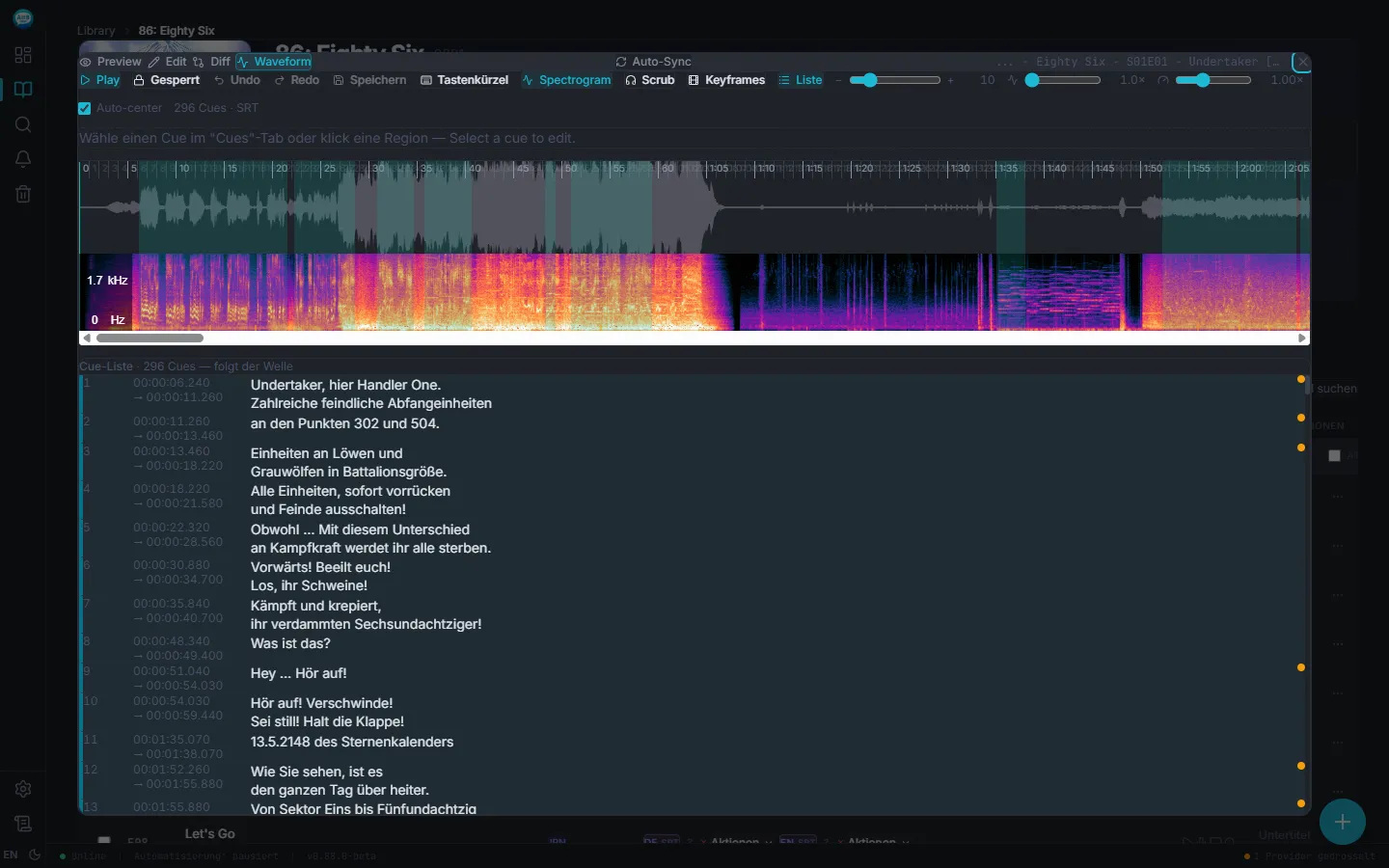
Waveform + spectrogram
You see where speech happens — and where it doesn't. Cue drag snaps to the audio peak automatically. Misaligned subtitles are back in sync within seconds.
Cue list scrolls along
The list follows the wave — during playback it jumps to the current line. Click any cue: edit, split, join, or jump to its position.
Auto-repair on save
BOM gone, encoding to UTF-8, cue overlaps smoothed — all automatic. You hit save, Sublarr cleans up the rest.
Exactly what you used to do in Aegisub
Quick split, timing shift, common fixes, diff view against the original, keyboard shortcuts for every operation. ASS tags like {\an8} or {\fad} are parsed and syntax-checked on save. Anyone who knows anime subs feels at home.
Editor and subtitle manager in one
Pick the episode in Sublarr, click "Editor" — and you're in. No file exports, no side tools.