The problem
New, but invisible
A fresh subtitle only appears in the player after the next scan. Sublarr triggers the refresh for exactly that episode — on Plex, a scan of just its folder.
Too many tracks
Embedded subtitles in languages nobody reads clutter the menu. Sublarr can remove them from the file — the original stays in the trash for 7 days.
Works without *arr too
No Sonarr or Radarr? Sublarr also watches folders directly in standalone mode.
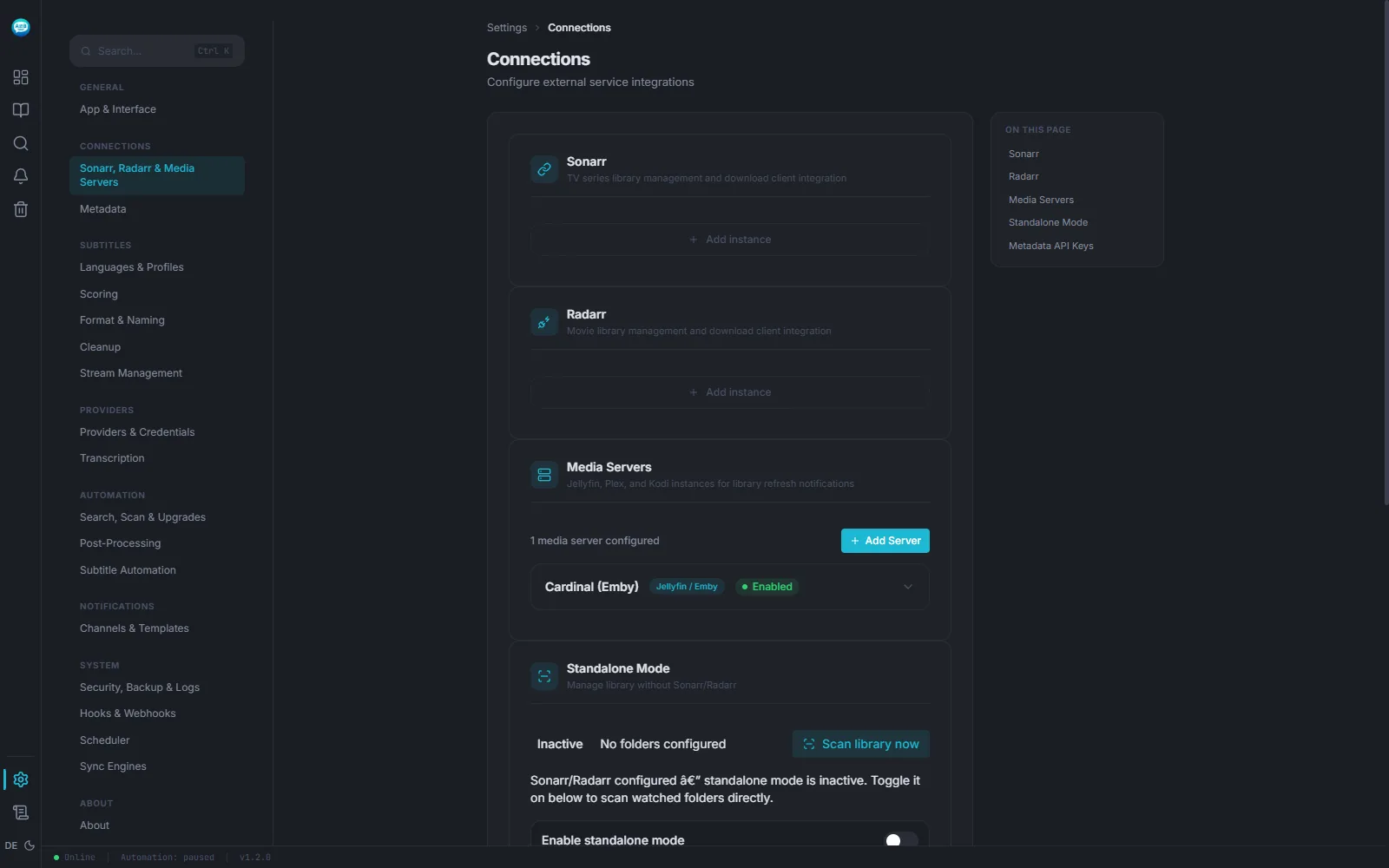
How to set it up
- 01 Start the container with the file below — with the same media folder Jellyfin or Emby mounts.
- 02 Under Settings → Connections → Media Servers, add the server with its URL and API key. The Jellyfin/Emby type covers both.
- 03 Connect Sonarr/Radarr or add standalone folders — from then on, every subtitle written is followed by a refresh.
docker-compose.yml
One container, two volumes. Replace /path/to/media with your media folder and set PUID/PGID to your user (id prints them).
services:
  sublarr:
    image: ghcr.io/abrechen2/sublarr:1.20.0
    container_name: sublarr
    ports:
      - "5765:5765"
    volumes:
      - ./config:/config
      # the same media folder Jellyfin or Emby mounts
      - /path/to/media:/media:rw
    environment:
      - PUID=1000
      - PGID=1000
    restart: unless-stopped
Start and check:
docker compose up -d
curl http://<host>:5765/api/v1/health
The answer contains {"status":"healthy","version":"…", …}
Limits
- Sublarr doesn't play anything and doesn't replace a media server. It manages the subtitle files Jellyfin or Emby then show.
- If Sublarr can't find the episode on the media server by its path, Jellyfin or Emby refresh the whole library and Plex scans its libraries of the same type — slower, but the subtitle still arrives.
- Removing tracks means rewriting the video file. It is a deliberate setting, not a default, and needs room for the copy.
When it doesn't work
The test can't reach the server
The URL must be reachable from inside the Sublarr container (default port 8096). Create the API key in the Jellyfin or Emby dashboard under API Keys.
The whole library is scanned instead of the episode
Jellyfin sees the file under a different path than Sublarr does. Set a path mapping in from:to form on the media server entry. If the server mounts each library under its own root, separate several pairs with ; — the longest matching one wins, and a pair only applies to whole folders.
The subtitle is there but not shown
Usually file permissions: set PUID and PGID so the media server is allowed to read the files Sublarr writes.
Your media server stays as it is
Sublarr sits next to it, not in its place. One container, one API key.