The problem
An import without subtitles
The episode is there, the subtitle is missing or doesn't match the release. Sublarr starts searching the moment the import webhook arrives.
More than one instance
An anime Sonarr next to the regular one, a 4K Radarr next to 1080p: every instance is its own row, and Sublarr keeps them apart.
Nothing falls through
Whatever the first attempt couldn't find goes on the Wanted list and is searched again later.
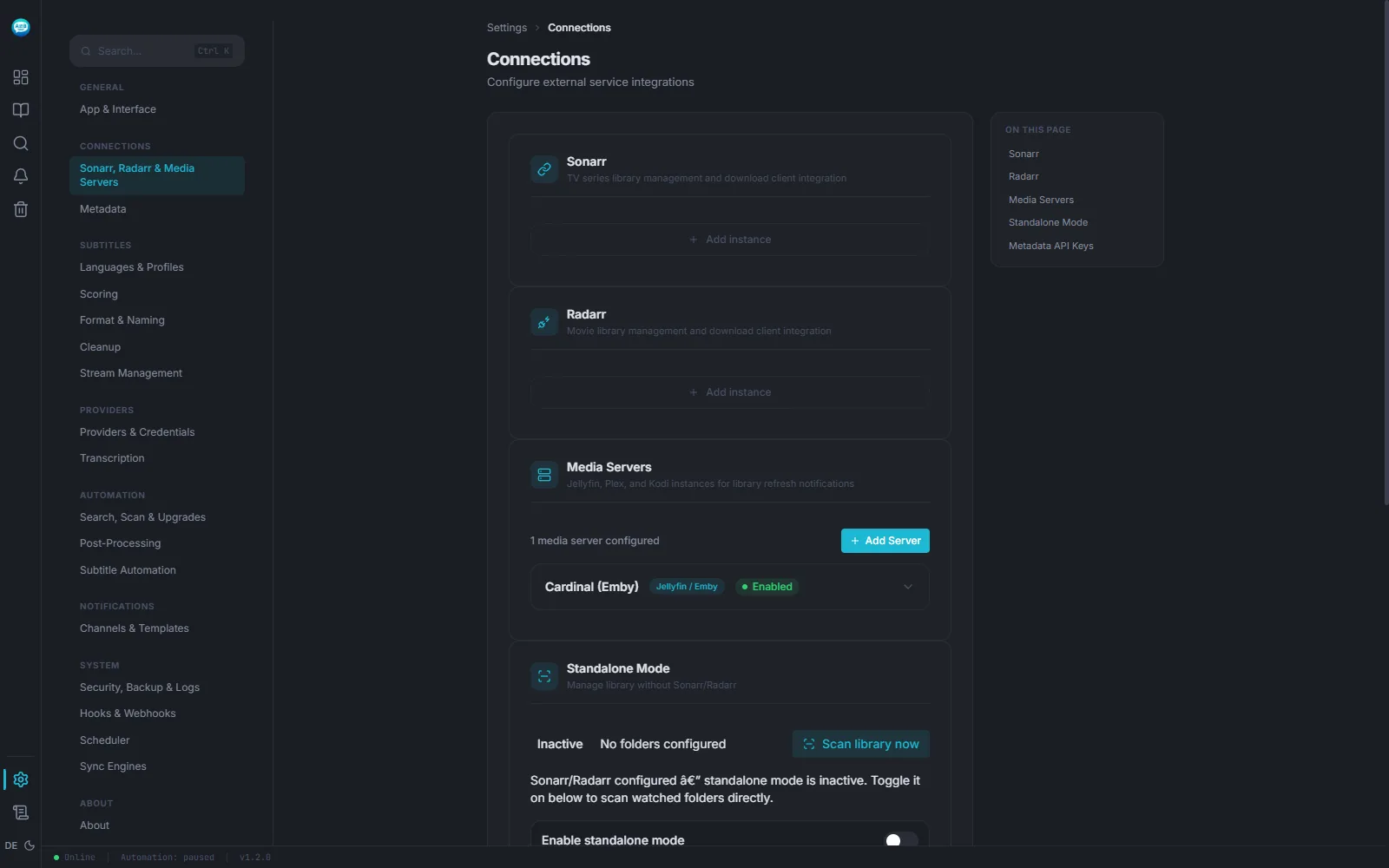

How to set it up
- 01 Start the container with the file below — the media folder must be the one Sonarr and Radarr manage.
- 02 In Sublarr, under Settings → Connections, add each Sonarr and Radarr instance with its URL and API key, and test it.
- 03 In Sonarr/Radarr, add a webhook pointing at Sublarr. Without it Sublarr polls on an interval — that works, just more slowly.
docker-compose.yml
One container, two volumes. Replace /path/to/media with your media folder and set PUID/PGID to your user (id prints them).
services:
  sublarr:
    image: ghcr.io/abrechen2/sublarr:1.20.0
    container_name: sublarr
    ports:
      - "5765:5765"
    volumes:
      - ./config:/config
      # the same media folder Sonarr and Radarr manage
      - /path/to/media:/media:rw
    environment:
      - PUID=1000
      - PGID=1000
    restart: unless-stopped
Start and check:
docker compose up -d
curl http://<host>:5765/api/v1/health
The answer contains {"status":"healthy","version":"…", …}
Limits
- Sublarr works with the paths it sees under /media itself. If Sonarr or Radarr see different paths, you need a path mapping.
- Several providers need an account or API key. With none configured, Sublarr searches fewer sources than the number suggests.
- If Bazarr runs on the same series at the same time, the two overwrite each other's subtitles. Split the library between them.
When it doesn't work
The connection test fails
The URL is resolved from inside the Sublarr container, where localhost means Sublarr itself. Use the container name on a shared Docker network, or the host's IP.
The webhook arrives with a 401
Sublarr expects an X-Api-Key header carrying its own API key. An X-Webhook-Secret header is not accepted.
Series show up, but their files don't
Sonarr reports a path that doesn't exist inside the Sublarr container. Map Sonarr's path to Sublarr's under Settings → Connections → Path Mapping.
Connect once, then it runs
One container next to your *arr stack. Setting it up takes as long as copying two API keys.