The problem
Find
Episodes numbered straight through instead of by season, IDs that don't match TVDB: Sublarr resolves anime through AniDB and Sonarr's absolute numbers and asks anime sources such as Jimaku and AnimeTosho. Results whose release names another season or episode are dropped before scoring.
Score
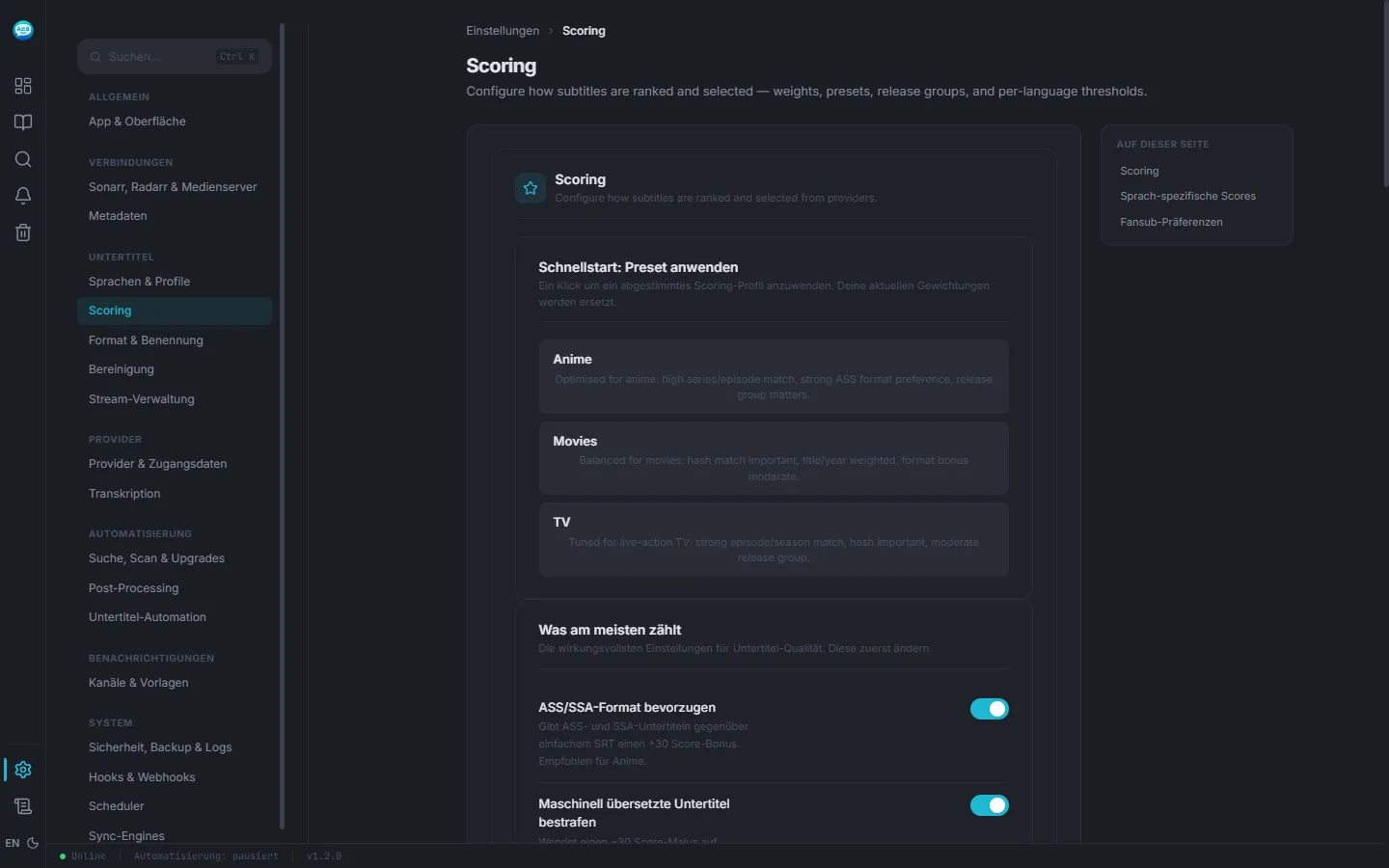
ASS gets a score bonus, machine-translated subtitles a penalty. The anime preset sets it all in one click — per language profile, too.
Clean
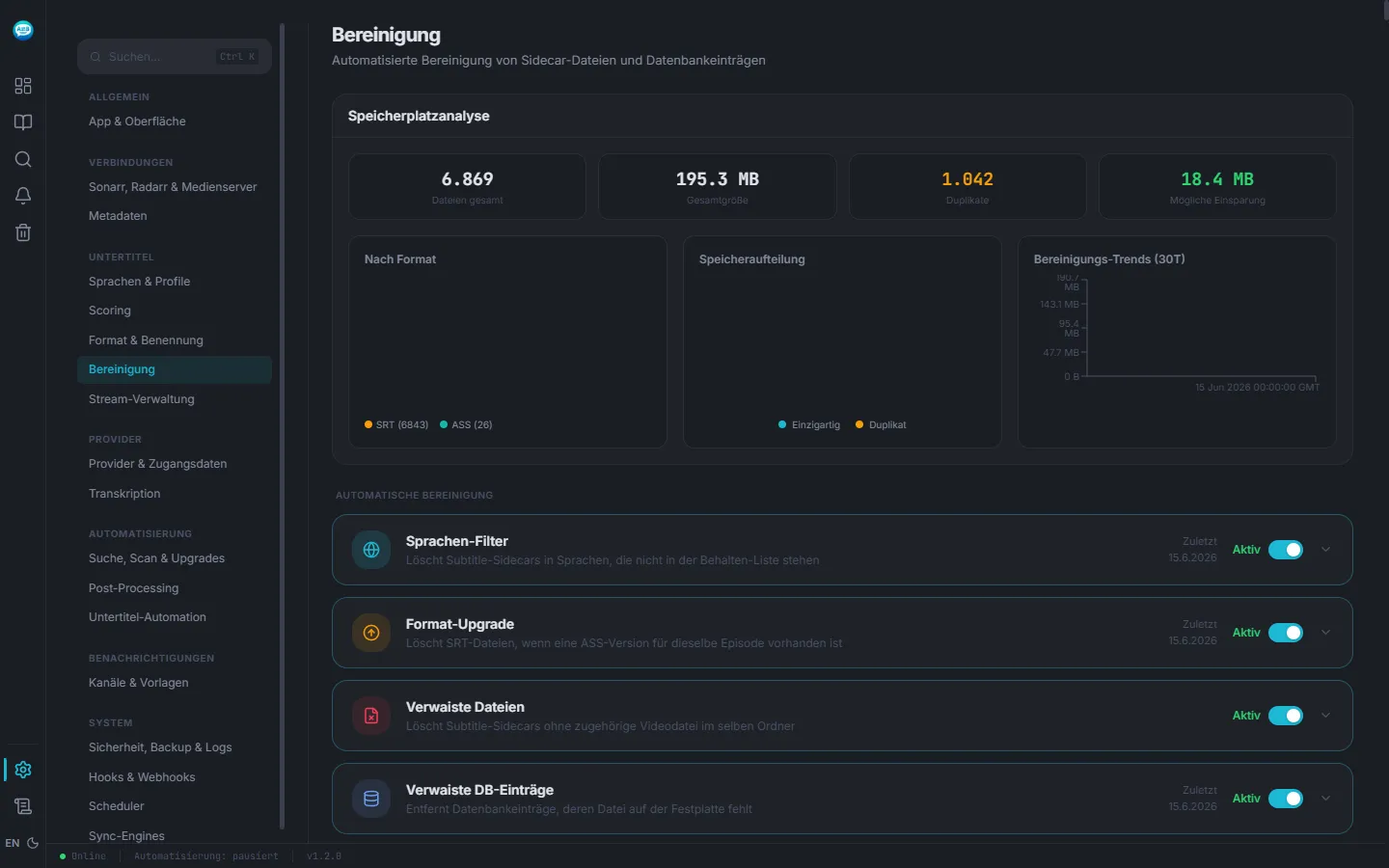
SRTs sitting next to an ASS version, signs and songs tracks, the dubtitle among several English tracks, files with broken encoding — detected, and removed or repaired only after a preview.
How to set it up
- 01 Start the container with the file below and mount your anime folder.
- 02 Under Settings → Scoring, apply the anime preset or pin it to the language profile of your anime library.
- 03 Enable AniDB under Settings → Connections → Metadata, then switch on the cleanups you want — each one shows what it would touch first.
docker-compose.yml
One container, two volumes. Replace /path/to/media with your media folder and set PUID/PGID to your user (id prints them).
services:
  sublarr:
    image: ghcr.io/abrechen2/sublarr:1.20.0
    container_name: sublarr
    ports:
      - "5765:5765"
    volumes:
      - ./config:/config
      # your anime folder
      - /path/to/media:/media:rw
    environment:
      - PUID=1000
      - PGID=1000
    restart: unless-stopped
Start and check:
docker compose up -d
curl http://<host>:5765/api/v1/health
The answer contains {"status":"healthy","version":"…", …}
Limits
- ASS gets priority, not a monopoly: if an episode only has SRT, Sublarr takes the best SRT.
- How good ASS ends up looking is up to the player. Sublarr delivers the file with its styling — the client has to render it.
- AniDB resolution is most reliable with the AniDB cache enabled and current. Without it, the other tiers take over.
- Cleanups delete files — but only after the preview, and subtitles go to the trash for 30 days.
When it doesn't work
Wrong episode for series numbered straight through
AniDB is off or its cache is stale. Enable it under Settings → Connections → Metadata → AniDB and refresh the dump. Subtitles already saved whose release names another episode are listed by the subtitle repair in the system settings, which searches them again.
An SRT wins although an ASS exists
Check that the language profile uses the anime preset. The score breakdown in History shows what the ASS lost on.
The subtitle follows the English dub, not the original
The file carries several English tracks. Dubtitle detection measures which one transcribes the dub instead of guessing.
Try it on one season
Mount one anime folder, apply the anime preset and see what Sublarr finds.